Why Your Desk Fan Needs a Deep Clean
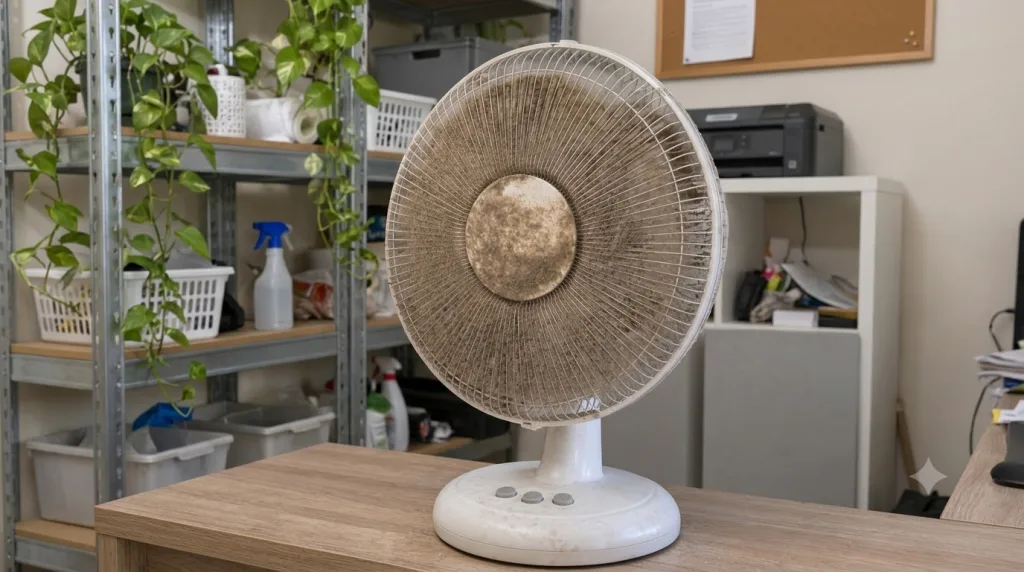
Before you switch on your desk fan this season, take a close look at it. Dust, pet hair, and lint build up quickly on the grille and blades, and that buildup can end up circulating through your room. A little preventative cleaning keeps your air fresher and helps the motor run smoothly.
What You Need
- A soft, dry microfiber cloth
- A small bowl of warm water with a few drops of mild dish soap
- Cotton swabs or an old toothbrush
- A vacuum with a brush attachment (optional)
- A screwdriver, only if your fan model requires removing the grille
Step-by-Step Cleaning Guide
- Unplug the fan first. Never clean a fan that is connected to power, and make sure the blades are completely stopped.
- Vacuum the loose dust. Use the brush attachment to lift the heavy layer of dust from the front and back grille before you start wiping.
- Remove the front grille if possible. Many desk fans unclip or unscrew, which gives you access to the blades. Keep the screws in a small dish so they do not get lost.
- Wipe each blade. Dampen the microfiber cloth with the soapy water, wring it out well, and wipe both sides of every blade. Dust tends to stick along the edges, so go over them twice.
- Clean the grille and center cap. Use a toothbrush or cotton swabs to reach the tight gaps where lint collects.
- Dry everything thoroughly. Wipe each part with a dry cloth and let it air dry for at least an hour before reassembling.
- Wipe the base and motor housing lightly. Use a barely damp cloth and keep liquid away from the vents and the motor opening.
Why This Method Works
Dust is mostly dry particles, so vacuuming first removes the bulk before any moisture is introduced. A small amount of mild dish soap breaks down the oily film that traps dust on plastic surfaces. Using only a damp cloth, rather than a soaking bath, protects the motor and wiring from water damage.
Safety Tips
- Always unplug the fan before opening or wiping any part.
- Do not spray cleaning products directly onto the fan.
- Make sure every part is fully dry before plugging the fan back in.
- Avoid harsh chemicals that can crack or yellow plastic blades.
Make It a Seasonal Habit
Set a reminder to clean your desk fan at the start of each season, when you are doing your other home maintenance tasks. A quick wipe-down every few weeks keeps the buildup manageable and makes the deep clean much faster. Your air will feel fresher, and your fan will keep working efficiently for years.